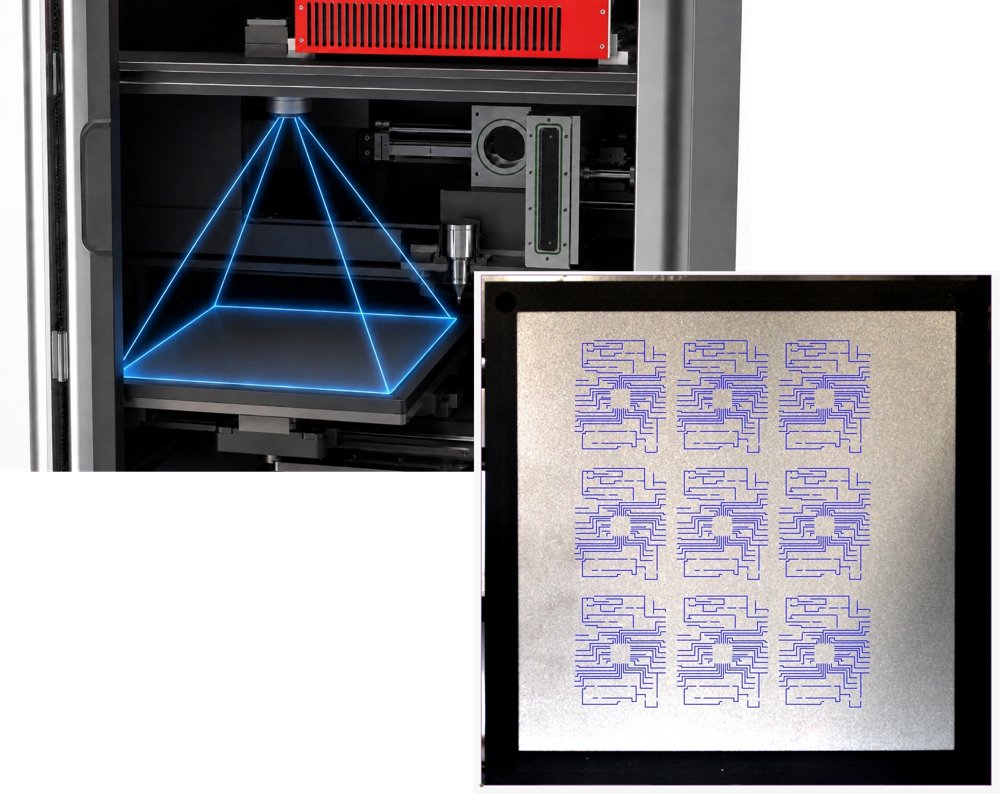
Multiplexed automated multimaterial printer The multiplexed dual-head printer enables on-demand digital nanoparticle mixing for tunable nanocomposite and alloy printing. Unleashing the material-by-design printing!! - Dimensions: L x W x H (24 x 24 x 44 in.) - Weight: ~350Lb - Power rating: 110-220VAC, 50/60Hz - Power Consumption: ~600W - Print area: 20 x 20 x 2 cm - No. of printing targets: 12 Features 1 Two Heads. Twelve Targets. Mix on Demand. Two independently controlled print heads, each paired with a six-target carousel, provide access to up to 12 solid-source materials in a single system. Deliver materials separately or simultaneously to create multi-material structures, tunable mixtures, alloys, and composites in real time. 2 See It. Place It. Print It. Overlay your geometry directly onto the live overhead camera view of the print area. Position, scale, and align each design on the substrate before printing, giving you complete control over exactly where every feature is placed. 3 Pick It. Match It. Align It. Select a fiducial on the substrate through the live camera view, then choose its matching point in the CAD design. The software automatically snaps the geometry into position, creating a fast and accurate alignment between the digital design and the physical part. 4 Deposit. Sinter. Build. As the dry aerosol is deposited, an integrated laser sinters the material directly onto the substrate. Deposition and consolidation happen together, producing conductive and mechanically stable printed features in real time. 5 Control Flow. Stabilize Pressure. Integrated mass flow control continuously manages the carrier-gas flow while monitoring system pressure in real time. This maintains stable aerosol transport and consistent deposition throughout the printing process. 6 Find Focus. Optimize Particle Generation. The automated focusing mechanism positions the galvo scanner at the correct focal distance from the target. This keeps the laser precisely focused for efficient and consistent nanoparticle generation. 7 Build the Process Recipe. Run It Again. Save motion, flow, laser, material, and deposition parameters within a reusable recipe. Complex printing sequences can then be repeated consistently without rebuilding the process each time. 8 Watch Every Step. Live camera views provide continuous visibility of the substrate, nozzle, and printing area. Operators can confirm positioning, inspect alignment, and follow the deposition process directly from the software. 9 Record More Than the Print. Process parameters, equipment states, and sensor data can be logged throughout every run. Each print produces a traceable process record for evaluation, optimization, and repeatability. 10 See the Beam. Center It Automatically. A vision-guided alignment system detects the laser position and uses an automated actuator to center the beam with the nozzle and deposition area. This simplifies setup while maintaining precise alignment on the substrate. And That’s Just the Beginning... From intelligent automation to advanced process control, every NanoPrintek system includes even more capabilities built to simplify operation, improve consistency, and expand what is possible.
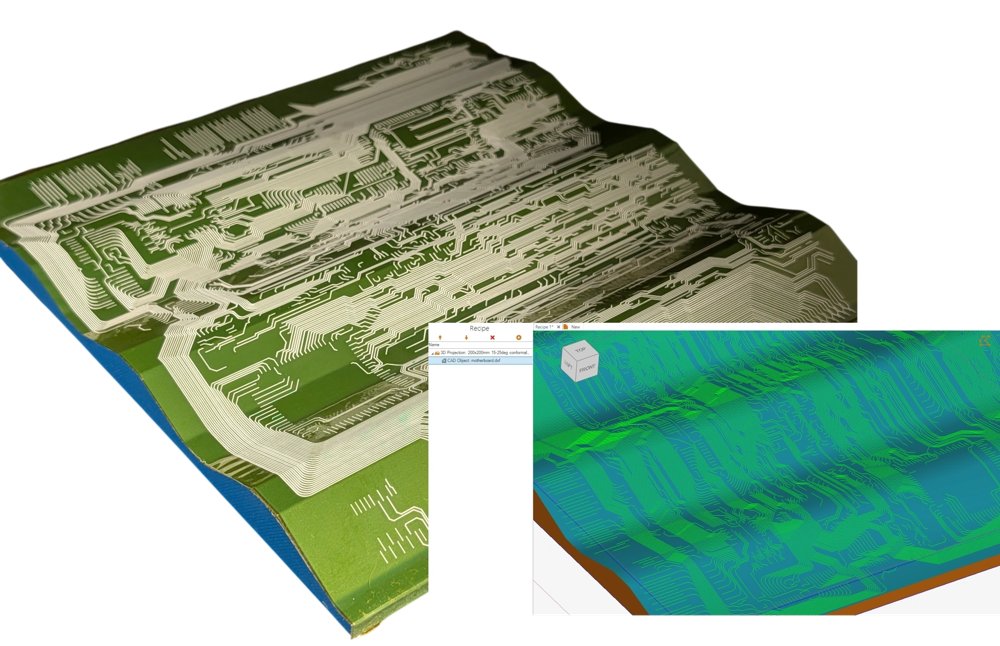
Conformal automated multimaterial printer Multi-target multi-material printer (e.g., metals, semiconductors, insulators, nanocomposites, alloys, etc.) for automated printing of multi-materials and hybrid devices on flat and conformal surfaces. - Power rating: 110-220VAC, 50/60Hz - Power Consumption: ~500W - No. of printing targets: 6 Features 1 PROJECTED ON PARTS. PRINTED IN REAL TIME. Built for conformal printing, the platform can project DXF designs onto imported 3D parts or print from pre-wrapped 3D DXF. Coordinated 3-axis motion follows complex surfaces, while real-time laser sintering and in-process target switching enable precise direct-write printing across curved and irregular geometries. 2 See It. Place It. Print It. Overlay your geometry directly onto the live overhead camera view of the print area. Position, scale, and align each design on the substrate before printing, giving you complete control over exactly where every feature is placed. 3 Pick It. Match It. Align It. Select a fiducial on the substrate through the live camera view, then choose its matching point in the CAD design. The software automatically snaps the geometry into position, creating a fast and accurate alignment between the digital design and the physical part. 4 Deposit. Sinter. Build. As the dry aerosol is deposited, an integrated laser sinters the material directly onto the substrate. Deposition and consolidation happen together, producing conductive and mechanically stable printed features in real time. 5 Control Flow. Stabilize Pressure. Integrated mass flow control continuously manages the carrier-gas flow while monitoring system pressure in real time. This maintains stable aerosol transport and consistent deposition throughout the printing process. 6 Switch Materials. Keep Printing. Automatically move between multiple solid-source targets without replacing inks, cartridges, or printheads. Material changes can be incorporated directly into the printing sequence for streamlined multi-material fabrication. 7 Find Focus. Optimize Particle Generation The automated focusing mechanism positions the galvo scanner at the correct focal distance from the target. This keeps the laser precisely focused for efficient and consistent nanoparticle generation. 8 Build the Process Recipe. Run It Again. Save motion, flow, laser, material, and deposition parameters within a reusable recipe. Complex printing sequences can then be repeated consistently without rebuilding the process each time. 9 Watch Every Step. Live camera views provide continuous visibility of the substrate, nozzle, and printing area. Operators can confirm positioning, inspect alignment, and follow the deposition process directly from the software. 10 Record More Than the Print. Process parameters, equipment states, and sensor data can be logged throughout every run. Each print produces a traceable process record for evaluation, optimization, and repeatability. 11 See the Beam. Center It Automatically. A vision-guided alignment system detects the laser position and uses an automated actuator to center the beam with the nozzle and deposition area. This simplifies setup while maintaining precise alignment on the substrate.
CATEGORY
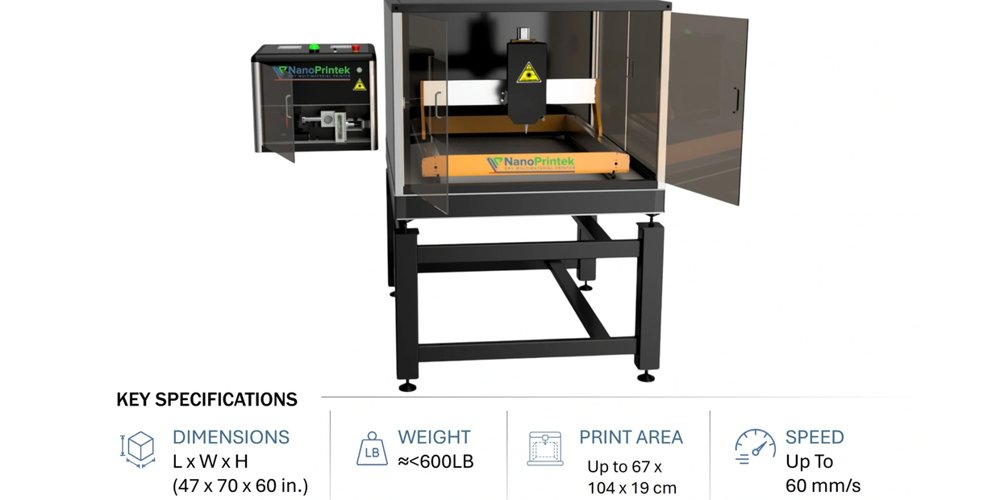
Gantry Based automated multimaterial printer The gantry-based LASED-GANT Series enables large-area printing, unleashing applications for industries ranging from Aerospace to Automotive!! - Printer Control Module Dimensions: L x W x H (24 x 24 x 22 in.) - Total Weight: ~400-800Lb - Power rating: 110-220VAC, 50/60Hz - Power Consumption: ~600W - No. of printing targets: 6
CATEGORY

Enable integration with AI models to generate, optimize, and execute smart manufacturing recipes in SMI. Generate digital Recipes with different sets of commands/operations in SMI Project 2d patterns directly onto conformal surfaces Vision-based feature recognition and automatic CAD alignment Monitor any parameter and log the data of digital recipe through SMI CAD tools (e.g.. lines, squares, triangles, spirals etc.) can be used to create shapes withing the SMI's CAD interface. Logic operators (e.g.. If, else, else-if, and, or) and mathematical expressions can be directly added to the digital recipe in SMI Supports wide range of file formats (e.g. DXF, DWG, Gerber, STP, STL, IGES, TXT, CSV)
CATEGORY
