LaboTex Version 3.0 Texture Analysis Software for Windows LaboTex Formats LaboSoft s.c. Phone: +48 502 311 838 Fax: +48 12 395 3891 E-mail: office@labosoft.com.pl © LaboSoft 1997-2011 Contents 1. Experimental Pole Figures (EPF) file format.................................................... 3 2. EPF Example..................................................................................................... 4 3. PPF file format.................................................................................................. 5 4. SOR file format.................................................................................................. 5 5. POW format...................................................................................................... 6 6. COR format....................................................................................................... 6 7. Other formats..................................................................................................... 6 1. Experimental Pole Figures (EPF) file format *.EPF (Experimental Pole Figures) files refer to the raw experimental data and their background. In order to use the EPF files you will need a correction file:.COR or.POW The table below provides a detailed description of the *. EPF data format: Line No of data in line Description Type 1 – 2 Arbitrary title Character 3 Remarks for data in line 4 4 1 Structure Code (symmetries after Schoenflies): 1 - C 1 (triclinic) 2 - C 2 (monoclinic) 3 - D 2 (orthorhombic) 4 - C 4 (tetragonal) 5 - D 4 (tetragonal) 6 - T (cubic) 7 - O (cubic) 8 - C 3 (trigonal) 9 - D 3 (trigonal) 10 - C 6 (hexagonal) 11 - D 6 (hexagonal) Integer 4 2 Lattice constant, a (absolute or relative) Real 4 3 Lattice constant, b (absolute or relative) Real 4 4 Lattice constant, c (absolute or relative) Real 4 5 Lattice angle, α in degrees Real 4 6 Lattice angle, β in degrees Real 4 7 Lattice angle, γ in degrees Real 5 1 Number of Pole Figures (including background PFs) (N) Integer 6 Remarks for data in line 7 Character 7 to 7+N 1 2θ Bragg angle in degrees Real 7 to 7+N 2 αs - beginning of polar angle in degrees Real 7 to 7+N 3 αe - ending of polar angle in degrees Real 7 to 7+N 4 ∆α − step of polar angle in degrees. Permissible value: 1.0, 1.2, 1.25, 1.5, 2.0, 2.5, 3.0, 3.75, 5.0, 6.0, 7.5, 10.0.* Real 7 to 7+N 5 βs- - beginning of azimutal angle in degrees (0 or 2.5) Real Positive values for pole figures drawn clockwise or negative values for counter-clockwise 7 to 7+N 6 βe - ending of azimutal angle in degrees Real Positive values for pole figures drawn clockwise or negative values for counter-clockwise 7 to 7+N 7 ∆β − step of azimutal angle in degrees. Permissible values: 1.0, 1.2, 1.25, 1.5, 2.0, 2.5, 3.0, 3.75, 5.0, 6.0, 7.5, 10.0. for textured pole figures, and the same values or multiplicity of above-mentioned values for background PFs Real Positive values for pole figures drawn clockwise or negative values for counter-clockwise 7 to 7+N 8 Index - must be 0 Real 7 to 7+N 9 Index h of hkl pole figure Integer 7 to 7+N 10 Index k of hkl pole figure Integer 7 to 7+N 11 Index l of hkl pole figure Integer 7 to 7+N 12 Type of Data (1-Pole Figure, 0-Background) Integer 7+N+1 Blank line 7+N+2 1 to 8 Data 1 to 8 (1 st Pole Figure) Real 7+N+3 1 to 8 Data 9 to 16 (1 st Pole Figure) Real 7+N+4 to end of data for 1 st PF 1 to 8 Data for 1 st Pole Figure Real... Blank line (separates block of data)... 1 to 8 Data for 2 nd pole figure Real... Blank line (separates block of data)... 1 to 8 Data for the next PF (up to end followed by blank line) Real Please note: Real and integer input data must be separated by one or more space signs. *LaboTex version 2.1.006 and higher allows new grid cell 1.8x1.8,2.25x2.5,3.6x3.6,4.5x4.5 (exceptions: trigonal,hexagonal and crystal lattice symmetry) See the specifications below for: EPF Example, COR file format, POW file format, PPF file format, SOR file format. 2. EPF Example Example of an experimental data file *. EPF - test.epf: line 1: Test of LaboTex program - ADC method for ODF calculation. line 2: Sample: FeSi, pole figures: 200 110 112 line 3: Structure Code a b c alfa beta gamma line 4: 7 1 1 1 90 90 90 line 5: 6 number of Pole Figures line 6: 2theta alf-s alf-e d-alf bet-s bet-e d-bet indx H K L P/B line 7: 45.250 0.0 85.0 5.0 0.0 355.0 5.0 0 2 0 0 1line 8: 52.050 0.0 85.0 5.0 0.0 355.0 5.0 0 1 1 0 1line 9: 77.450 0.0 85.0 5.0 0.0 355.0 5.0 0 1 1 2 1line 10: 48.500 0.0 85.0 5.0 0.0 270.0 90.0 0 2 0 0 0line 11: 70.000 0.0 85.0 5.0 0.0 270.0 90.0 0 1 1 0 0line 12: 80.000 0.0 85.0 5.0 0.0 270.0 90.0 0 1 1 2 0line 13: line 14: 172763. 172763. 172763. 172763. 172763. 172763. 172763. 172763. line 15: 172763. 172763. 172763. 172763. 172763. 172763. 172763. 172763. line 16: 172763. 172763. 172763. 172763. 172763. 172763. 172763. 172763.... (line 17-172) line 173: 12871. 15208. 15536. 13571. 10464. 7874. 6977. 7874. line 174: 10464. 13571. 15536. 15208. 12871. 9947. 7753. 6885. line 175: 7512. 9977. 15302. 23949. 32907. 36331. 32369. 25152. line 176: line 177: 12319. 12319. 12319. 12319. 12319. 12319. 12319. 12319. line 178: 12319. 12319. 12319. 12319. 12319. 12319. 12319. 12319. line 179: 12319. 12319. 12319. 12319. 12319. 12319. 12319. 12319.... (line 180-335) line 336: 11977. 13260. 15924. 19655. 23043. 23659. 22398. 23659. line 337: 23043. 19655. 15924. 13260. 11977. 12233. 14581. 19084. line 338: 24630. 30445. 36111. 40462. 38757. 30857. 21645. 15090. line 339: line 340: 142442. 142442. 142442. 142442. 142442. 142442. 142442. 142442. line 341: 142442. 142442. 142442. 142442. 142442. 142442. 142442. 142442. line 342: 142442. 142442. 142442. 142442. 142442. 142442. 142442. 142442.... (line 343-498) line 499: 19467. 17249. 16302. 15782. 15387. 15200. 15068. 15200. line 500: 15387. 15782. 16302. 17249. 19467. 22203. 22229. 18484. line 501: 13296. 9168. 7555. 7739. 8997. 11247. 13362. 14321. line 502: line 503: 830. 792. 679. 717. 830. 792. 679. 717. line 504: 822. 784. 672. 710. 814. 777. 666. 703. line 505: 806. 769. 659. 696. 798. 762. 653. 689.... (line 506-508) line 509: 519. 495. 424. 448. 441. 421. 361. 381. line 510: 362. 346. 296. 313. 287. 274. 235. 248. line 511: 220. 210. 180. 190. 164. 157. 134. 142. line 512: line 513: 2258. 2156. 1848. 1951. 2258. 2156. 1848. 1951. line 514: 2258. 2156. 1848. 1951. 2236. 2134. 1830. 1931. line 515: 2236. 2134. 1830. 1931. 2236. 2134. 1830. 1931.... (line 516-518) line 519: 1981. 1891. 1621. 1711. 1851. 1767. 1515. 1599. line 520: 1637. 1562. 1339. 1413. 1329. 1268. 1087. 1147. line 521: 922. 880. 754. 796. 330. 315. 270. 285. line 522: line 523: 9209. 8791. 7535. 7954. 9209. 8791. 7535. 7954. line 524: 9118. 8704. 7460. 7875. 9118. 8704. 7460. 7875. line 525: 9029. 8618. 7387. 7798. 8941. 8535. 7315. 7722.... (line 526-528) line 529: 7611. 7265. 6227. 6573. 6977. 6660. 5708. 6025. line 530: 5903. 5635. 4830. 5098. 4723. 4508. 3864. 4079. line 540: 3143. 3000. 2572. 2715. 1246. 1190. 1020. 1076. See the specifications below for: EPF file format, COR file format, POW file format, PPF file format, SOR file format. 3. PPF file format . PPF (Preliminary Corrected Pole Figures K ) files refer to the experimental data after conducting the background and de-focussing effects corrections using external procedures (not conducted in LaboTex). The structure of a.PPF file is identical to. EPF and.POW except for the data for the background of pole figures. See the specifications below for: EPF file format, COR file format, POW file format, SOR file format. 4. SOR file format .SOR (S ingle Or ientation) files refer to experimental, single orientation set in the LaboTex format The table below provides a detailed description of.SOR data format: Line No of data in line Description Type 1 - 2 Arbitrary title Character 3 Remarks for data in line 4 4 1 Structure Code (symmetries after Schoenflies): 1 - C 1 (triclinic) 2 - C 2 (monoclinic) 3 - D 2 (orthorhombic) 4 - C 4 (tetragonal) 5 - D 4 (tetragonal) 6 - T (cubic) 7 - O (cubic) 8 - C 3 (trigonal) 9 - D 3 (trigonal) 10 - C 6 (hexagonal) 11 - D 6 (hexagonal) Integer 4 2 Lattice constant, a (absolute or relative) Real 4 3 Lattice constant, b (absolute or relative) Real 4 4 Lattice constant, c (absolute or relative) Real 4 5 Lattice angle, α in degrees Real 4 6 Lattice angle, β in degrees Real 4 7 Lattice angle, γ in degrees Real 4 8 Step for output ODF (grid cells). Permissible values (deg): 1.0, 1.2, 1.25, 1.5, 2.0, 2.5, 3.0, 3.75, 5.0, 6.0, 7.5, 10.0* Real 4 9 Weight for data (1 – present, 0 – absent) Integer 4 10 Angle Unit: 0 – deg, 1 – rad Integer 4 11 Angle Convention: 0 – Bunge 1 – Roe Integer 5 to the end 1 φ1 Real 5 to the end 2 Φ Real 5 to the end 3 φ2 Real 5 to the end [4] Weight (optionally) (if parameter weight in line 4 is 1) Real Note: Real and integer input data must be separated in line by one or more spaces. *LaboTex allows new grid cell from version 21.006: 1.8x1.8,2.25x2.5,3.6x3.6,4.5x4.5 (exceptions: trigonal,hexagonal crystal lattice symmetry See the specifications below for: EPF file format, COR file format, POW file format, PPF file format. 5. POW format .POW ( POW der pole figures) files refer to the powder sample pole figures measured, if possible, for a specific sample. You should measure the pole figures of the powder sample for defocusing correction from the same material as the "textured samples". The powder sample is treated as "non-texture" sample which helps to identify the absorption curve for defocusing correction. The structure of. POW file is identical to *. EPF. See the specifications below for : EPF file format, COR file format, SOR file format, PPF file format. 6. COR format .COR (COR rection) files refer to coefficients for the de-focussing effect.. COR files contain a set of correction coefficients for the de-focussing effect. The table below provides a detailed description of *. COR data format: Line No of data in line Description Type 1 – 2 Arbitrary title Character 31 to n α in degrees (polar angle) Real 4 1 {hkl} of first pole figure (three digits number) Real 4 2 to n+1 correction coefficients for de-focussing effect Real 5 1 {hkl} of second pole figure (three digits number) Real 5 2 to n+1 correction coefficients for de-focussing effect Real...... 3+N*2 1 {hkl} (three digits number) N - number of pole figure Real 4+N*2 2 to n+1 correction coefficients for de-focussing effect Real Please note: Real and integer input data must be separated by one or more space signs. See the specifications below for : EPF file format, PPF file format, SOR file format, POW file format. 7. Other formats List of the compatible LaboTex data formats: (For the updates and the current list of LaboTex compatible file formats see: www.labosoft.com.pl/format.htm ) All trademarks are the properties of their respective owners and are only used in a descriptive fashion without any intention to infringe. - 'TSV' Single Orientations Files, - Single orientations data files: *.tsv can be selected from File->New Sample-> Choose Experimental Data - 'PLF' Queens Univ. PF Format files (4*5deg) - (corrected pole figures), - Pole figures data files: *.plf can be selected from File->New Sample-> Choose Experimental Data - 'PLF' 5*5deg - (corrected pole figures), - Pole figures data files: *.plf can be selected from File->New Sample-> Choose Experimental Data - 'CON' McGill University PF Format files - (corrected pole figures), - Pole figures data files: *.con can be selected from File->New Sample-> Choose Experimental Data - 'HKL' HKL - Kawasaki KTEC Format files - (corrected pole figures), - Pole figures data files: *-hkl. can be selected from File->New Sample-> Choose Experimental Data - 'hkl' AGH main format, - Pole figures data files: *.hkl can be selected from File->New Sample-> Choose Experimental Data - Background pole figures data files: *-b.hkl can be selected from File->New Sample-> Choose Experimental Data - Random(powder) pole figures data files: *-p.hkl can be selected from File->New Sample-> Choose Experimental Data - Background random(powder) pole figures data files: *-t.hkl can be selected from File->New Sample-> Choose Experimental Data - 'xfb' AGH second format (corected pole figures), - Pole figures data files: *.xfb can be selected from File->New Sample-> Choose Experimental Data - 'CTF' HKL Single Orientations Files, - Single orientations data files: *.CTF can be selected from File->New Sample-> Choose Experimental Data - 'SNG' TSL Single Orientations Files, - Single orientations data files: *.sng can be selected from File->New Sample-> Choose Experimental Data - 'TXT' HKL Single Orientations Files, - Single orientations data files: *.txt can be selected from File->New Sample-> Choose Experimental Data - 'UXD' (file version 1) - SIEMENS/BRUKER (corrected pole figures, ASCII-files!,GADDS/D-8 Discover XRD). Use only one pole figure in one file. Parameter "_sample" has to contain Miller indices of PF (in triangle brackets), for example: "Ir<111>". - Pole figures data files: *.uxd can be selected from File->New Sample-> Choose Experimental Data - Please note: Convert the binary files from the GADDS/D-8 Discover XRD to the the ASCII UXD files using software from Siemens/Bruker (XCH or other). - 'UXD' (file version 2) - BRUKER (corrected pole figures, ASCII-file!,GADDS/D-8 Discover XRD). Use only one pole figure in one file. Parameter "_sample" has to contain Miller indices of PF (in triangle brackets) for example: "Ir<111>". - Pole figures data files: *.uxd can be selected from File->New Sample-> Choose Experimental Data - Please note: Convert the binary files from the GADDS/D-8 Discover XRD to the the ASCII UXD files using software from Bruker (XCH or other). LaboTex can read background files for UXD format: 1) please mark the data for background with a 'B' letter in the indices of the pole figure (within the filename, for example '<111B>cu brut'). ----------------------------------------------------_FILEVERSION=2 _SAMPLE="<111B> cu brut" _SITE='UNIV...' _USER='LAMBDA'... ------------------------------------------------ 2) LaboTex requires one pole figure on one.UXD file. Each pole figure and background file has to be in a separate file with an extension.UXD. For examples use the following naming system: sample_100.UXD, sample_100BL.UXD, sample_100BR.UXD,... The files with names terminating with BL or BR are background from the 'left' and 'right' side of PF; LaboTex average BL and BR values are used. 3) You may choose to use only BL or BR files. 4) Background files in the *.UXD format are only allowed for one background value of one alpha value! For a pole figure called, for example, Cu-brut_111.UXD, create 3 files in XRD software: a) Cu-brut_111.UXD (pole figure data+ parameter sample: _SAMPLE="<111> cu brut") b) Cu-brut_111BL.UXD (left background data + parameter sample: _SAMPLE="<111B> cu brut") c) Cu-brut_111BR.UXD (right background data+ parameter sample: _SAMPLE="<111B> cu brut") - 'UXD' Similarly to 'UXD' formats above (SIEMENS/BRUKER file version 1 and 2) use it only with reversed radial direction! Remember to correct the pole figures converting them to ASCII-files. - 'HKL' Chalk River Neutron Diffr. Data (corrected pole figures) - Pole figures data files:. can be selected from File->New Sample-> Choose Experimental Data - 'ANA' - EMSE Format files (corrected pole figures) - Pole figures data files: *.ana can be selected from File->New Sample-> Choose Experimental Data - 'epf' - popLA PF Format files (corrected pole figures). Warning: Files in popLA format have the same extension as LaboTex files: "EPF"! For files in popLA select format "epf" ( small captitals!) in LaboTex Options. - Pole figures data files: *.epf can be selected from File->New Sample-> Choose Experimental Data - 'RAW' - popLA Format files - Pole figures data files: *.raw can be selected from File->New Sample-> Choose Experimental Data - Defocusing correction data files: *.dfb can be selected from File->New Sample-> Choose Defocussing Correction - 'ASC' - Rigaku ASC format (1PF/file) - Pole figures data files: *.asc can be selected from File->New Sample-> Choose Experimental Data - Random (powder) pole figures data files:: *.asc can be selected from File->New Sample-> Choose Defocussing Correction - 'XPF' - BEARTEX data format (corrected pole figures) - Pole figures data files: *.xpf can be selected from File->New Sample-> Choose Experimental Data - 'PFG' - RIST data format from RIGAKU (ASCII) - Pole figures data files: *.pfg can be selected from File->New Sample-> Choose Experimental Data - Random pole figures data files: *.pfg can be selected from File->New Sample-> Choose Defocussing Correction - 'TXT' - RIST data format from PHILIPS (ASCII- corrected pole figures) - Pole figures data files: *.txt can be selected from File->New Sample-> Choose Experimental Data - 'RW1' - PHILIPS X'Pert binary data format (Binary) - Pole figures data files: *.rw1 can be selected from File->New Sample-> Choose Experimental Data - Background pole figures data files: *.bgr can be selected from File->New Sample-> Choose Experimental Data - Defocusing correction data files: *.cor can be selected from File->New Sample-> Choose Defocussing Correction Please note: Background pole figures data files can have the same extension as defocusing correction data files ('COR'). Please change the 'COR' extension for background files to 'BGR'! - 'NJA' - Seifert ASCII data format (compatible also with data from PSD) - Pole figures data files: *.NJA can be selected from File->New Sample-> Choose Experimental Data - Random pole figures data files: *.NJA can be selected from File->New Sample Choose Defocussing Correction - ‘NJC’ - Seifert binary data format (compatible also with the data from PSD) - Pole figures data files: *.NJC can be selected from File->New Sample-> Choose Experimental Data - Random pole figures data files: *.NJC can be selected from File->New Sample-> Choose Defocussing Correction - 'DAT' - Seifert ISO-DEBYFLEX 3003 - ASCII data format. Use only one pole figure in one file. Pole figure indices are 3 last characters before point in file name (example: PC_200.DAT for 200 pole figure). Optionally you may add the parameter "2THETA" before label "XDATA" in file (for example 2THETA=33.45). Values of 2THETA are essential for defocusing correction from Schultz equation. You may also use the non-equal angle step: 5deg for the inclination angle (chi or alpha) and 10 deg for the azimuthal angle (phi or betha) – the data are approximated to 5x5 grid. The background data (one data for each value of the inclination angle) are positioned first after label "XDATA". - Pole figures data files: *.DAT can be selected from File->New Sample-> Choose Experimental Data - Random pole figures data files: *.DAT can be selected from File->New Sample-> Choose Defocussing Correction - 'COA' COA data format (corrected pole figures). - 'POL' - The University of Birmingham/HiltonBrooks Texture Data. - Pole figures data files: *.POL can be selected from File->New Sample-> Choose Experimental Data - Random pole figures data files: *.POL can be selected from File->New Sample-> Choose Defocussing Correction - 'DAT' - TU Berlin data format (1PF/file) - Pole figures data files: *.DAT can be selected from File->New Sample-> Choose Experimental Data - 'POL' - The University of Birmingham with background (add '_b' to filename for background data).
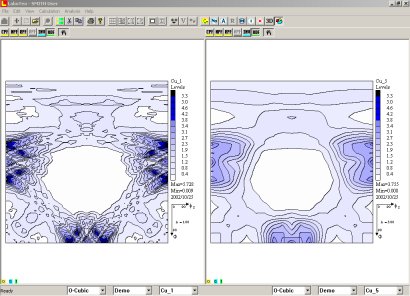
The LaboTex software is the Windows tool for complex and detailed analysis of crystallographic textures. The program performs in user friendly form the different calculations and graphic analysis of Orientation Distribution Function (ODF), Pole Figures (PFs) and Inverse Pole Figures (IPFs). LaboTex can be used to handle: crystallographic textures of materials such as metals and alloys, ceramics and composites, semiconductors and superconductors, polymers and rocks.
CATEGORY
The texture analysis software for Windows. Pole Figures Processing, Texture Analysis, ODF calculation with ADC method. Management of data and results. Simple access to data and results. Collecting them for users, symmetries, projects, samples and jobs. ODF calculation (direct - ADC Method). The best ODF calculation method. Texture analysis of all types of sample symmetry. Texture analysis for materials of all types of crystal lattice symmetry. The fiber texture analysis. High resolution ODF option. Calculation of fit error (RP). Calculation of texture index. Calculation of Anisotropy Factors. In Hexagonal, Tetragonal and Orthorhombic Systems. AF defined by Kearns. ODF calculation report. Ghost correction. ODF calculation using pole figures. Data from X-Ray or Neutrons measurements. Input data in non-LaboTex data format. LaboTex input data in 40 data formats. The possibility accomodation of the Software to the Customer data format. Free of charge. Correction of pole figure for background of pole figure. Choice of the correction method for background. Correction for defoccusing using powder pole figures. Correction for defoccusing from correction coefficients. Correction for defoccusing from Schulz equation. ODF calculation from incomplete pole figure(s). Possibility of the ODF calculation for different parameters for the same sample. Choice of the symmetrization of pole figures before ODF calculation. Choice of the sample symmetry for ODF (ODF symmetrization). Possibility of the rotation of pole figure(s) before ODF calculation. Creation of complete pole figures. Creation of complete inverse pole figures. ODF calculation from sets of individual orientations. (SOR) Data from EBSD, model calculation and other. Roe/Bunge notation of angles in SOR. Weights of orientations in SOR. Modelling of ODF, pole figures and inverse pole figures. Calculation of volume fraction of texture components by Integration Methods. Calculation of volume fraction of texture components by Model Function Methods. Components (orientations) database. 100 position for each crystal system. Introduce orientations (components) to database in Miller indices ({HKL}< UVW). Introduce orientations (texture components) to database in Euler angles. Introduce fiber orientations (components) to database. On-line identification of the orientations (components). Compare orientation analysis. Important for educational purpose! Qualitative orientations analysis for PF/ODF. Creation of additional, complete pole figures (APF) from ODF. Creation of additional, complete inverse pole figures from ODF. Export of ODF as ASCII files. Export od Pole Figures as ASCII files. Export of Inverse Pole Figures as ASCII files. Choice of convention for hexagonal system. 2D and 3D pole figures presentation. 2D ODF presentation for Phi1, Phi and Phi2 projections. 2D ODF presentation for section of projection. Bunge definition of Euler angles. ODF presentation and export. 3D ODF presentation. Export 2D and 3D images as bitmap. BMP or TIF format. Export 2D and 3D images by the clipboard. Bitmap. Online help. ODF section (cuts) defined by user. Skeleton lines. Misorientation histograms. ODFs - logical operations. Transformations of ODF. Generation of single orientations. Pole figures sections (cuts). User defined grid for pole figures. Manuals/Technical Reports. Examples. Demo version. Only old version 2.1.012. Support. Free e-mail support/updates 24 months. Protection. HASP Key: to Parallel Port or USB.
CATEGORY
LaboTex software is a Windows tool for complex and detailed analysis of crystallographic textures. This user-friendly program performs various calculations and graphic analyses of Orientation Distribution Function (ODF), Pole Figures (PFs) and Inverse Pole Figures (IPFs). Main Advantages of the Program - ODF calculation by ADC method with ghost correction - ODF free from truncation errors of the series - ODF calculation using both types of experimental data - pole figures - or sets of individual orientations - on-line qualitative and quantitative texture analysis - ODF, PF and IPF data measured, calculated and presented in a wide range of grid cells - texture analysis of all types of sample symmetry - texture analysis for materials of all types of crystal lattice symmetry - 2D and 3D graphic presentation of ODFs, PFs and IPFs - simple on-line identification of the orientations, giving its parameters in Euler angles and Miller indices - creation of additional pole figures and inverse pole figures - rotations and symmetrizations of experimental pole figures - export of ODF, Pole Figures and Inverse Pole Figures as ASCII files. - passing graphical objects to other Windows applications by a clipboard or Export 2D and 3D images as bitmap BMP, TIF format - management of data and results collecting them for users, symmetries, projects, samples and jobs - fibre texture analysis - ODF modelling
CATEGORY
Microsoft Windows compatibility: OS Win 10/11 Minimal hardware configuration: Processor PENTIUM IV 2 GHz or higher, 1 GB HD space, graphic card resolution 1024x768, CD-ROM drive. OpenGL Graphic Card is required for 3D View in "Continuous" fill mode. USB port. Recommended hardware configuration: Processor Intel Core I7 2.93 GHz or higher, 100 GB HD space, graphic card resolution 1920x1080(+OpenGL), CD-ROM/DVD drive. In the case the data are measured in the grid less than 5x5 degrees, the double increase of the disk space is recommended, USB port.
CATEGORY
