LabOne® offers an ample choice of time- and frequency-domain tools operating on both fast sample sets (raw data from the A/D converters) and slow sample sets (after demodulation). With every new release of LabOne®, a range of additional functionalities expands your instrument's capabilities while maintaining the quality standards associated with Zurich Instruments. This page provides an overview of the time- and frequency-domain tools and their highlights; to have access to all the features, always use the latest version of LabOne. Sweeper - Full-featured parametric sweep tool for frequency, phase shift, output amplitude, and other parameters - Frequency response analyzer (Bode plots) - Full instrument parameter range supported with several sweep modes - Concurrent multi-demodulator measurement and display - Persistent display of previous sweep results (overlap) - Normalization of sweep: auto bandwidth, averaging, and display normalization - Support for input scaling and arbitrary input units - Phase unwrap Improve measurement resolution around a feature point When searching for a feature like an unknown resonance point in the frequency response of a sample, one often sweeps the measurement frequency within a large range to capture the resonance. However, this comes with a rather low frequency resolution hiding the characteristics of the resonance profile. With the X-Cursors feature of the LabOne Sweeper tool available from release 23.10 on, the user is able to focus on a specific measurement point with a higher resolution while keeping the large-span measurement in the background as displayed in the GIF. Q-factor extraction from Sweeper data In applications such as MEMS, AFM, gyroscopes, sensors, etc., the Q-factor of resonators is required to establish a closed-loop control system such as a PLL following the resonance track of a tuning fork. Moreover, the Q-factor determines the damping characteristics of oscillators such as lasers and clock generators. Therefore, it is essential to extract the resonator Q-factor rapidly and accurately from its measured frequency response. The Sweeper module in LabOne offers a mathematical tool for Q-factor extraction. By measuring the frequency response of a resonator, it is possible to set the cursors around the peak and add the resonance parameters in the Math tab. As depicted in the figure, the tool fits the measured curve (solid line) to a Lorentzian model (dashed line) and extracts the resonator parameters including the quality factor, resonance frequency, -3 dB, or FWHM bandwidth for both amplitude and phase independently. Nyquist and Bode plots When measuring the frequency response of a sample, whether it is the transfer function of a resonator or the impedance of an electrical circuit, you are often interested in acquiring Bode and Nyquist plots in parallel. The Bode plot (see top figure) shows the amplitude and phase of the sample response as a function of the applied frequency, whereas the Nyquist plot (see bottom figure) displays the imaginary part of the sample response versus its real part. Simultaneous acquisition of the two plots allows you to relate the critical points in one plot to the corresponding points in the other. With release 21.02, the XY plot in the Sweeper tool of LabOne enables you to draw Nyquist plots in parallel with Bode spectroscopy figures. The Nyquist plot can be configured freely, and its scales can be locked with the so-called 'track feature' to display the Nyquist plot in a true 1:1 ratio. Linear Fit It happens frequently that a noisy signal has a linear trend and you are interested to extract the slope and intercept of the trend out of the fluctuations. For instance, you may increase the intensity of light shining on a photodiode and measure its generated current to obtain its responsivity, given by the slope of the current as a function of power in the small-signal regime. Another example is that of a frequency component hidden in your signal, where the frequency is deduced from the slope of the measured phase versus time. In LabOne 20.01, the Sweeper and DAQ tabs are equipped with a linear fitting tool that computes the slope, intercept and quality of linearity (given by the coefficient of determination R 2) as shown to the left. Scope - Full input A/D resolution - FFT of acquired scope shots - Wide choice of sampling rates with optional averaging - Multiple signal sources including signal inputs and trigger inputs - Multiple trigger sources and trigger methods - Independent hold-off, hysteresis, pre-trigger and trigger level settings - Cursor math: location, area, tracking, wave, peak, trough, histogram - Support for input scaling and arbitrary input units - Upgrade with UHF-DIG Digitizer option Signal trends When you need to extract features from the raw data you acquire and to follow the temporal evolution of a measured signal, postprocessing of your data is often the adopted strategy– and yet that does not occur in real-time, making it difficult to tune the experimental setup online while looking at the outcome. The Trends feature included in the LabOne 20.07 release allows you to visualize signal features from the raw measurements through real-time signal processing. For example, the Trends plot (see bottom graph) tracks the delay and the peak of a recorded pulse in the Scope (see top graph): this reveals a linear sweep (orange curve) for the delay and a quadratic trend (green curve) for the peak value. The Scope, Plotter, Spectrum Analyzer, and DAQ tools all benefit from this integrated Trends feature. Spectrum Analyzer - Fast, high resolution FFT spectrum analyzer of demodulator data - Available spectrum modes: FFT(X+iY), FFT(R), FFT(Θ), FFT(f) and FFT((dΘ/dt)/2π) - Variable center frequency, frequency resolution, and frequency span - Auto bandwidth, auto span - Choice of 4 different FFT window functions - Access to amplitude, spectral density, and power spectrum - Low-pass filter compensation Window functions for controlling spectral leakage Spectral leakage often occurs when temporal signals are analyzed in the frequency domain using the Fourier transform. This is due to the limited signal span over the temporal axis and can be mitigated by tapering the signal with temporal window functions. Symmetric window functions such as the Rectangular, Hamming, Hann, and Blackman-Harris windows are used widely as they provide different levels of trade-off between dynamic range and frequency resolution. From LabOne 22.02 onwards the Flat Top window also features in the Scope, DAQ and Spectrum Analyzer tools of LabOne, thus adding one more choice for spectral-leakage control when analyzing a signal in the frequency domain. In particular, the Flat Top window minimizes scalloping loss, which is desirable if the amplitude of sine signals is obtained from their spectral components. The GIF shows the Spectrum Analyzer of LabOne where different symmetric and asymmetric window functions can be selected to reach an optimal balance between dynamic range and frequency resolution. Waterfall display and triggered spectrum analysis The LabOne Spectrum Analyzer is a powerful tool to analyze measurement signals in the frequency domain, helping in the measurement of sidebands, in quantifying multiple signal components, or in characterizing various noise sources. You can zoom into sub-Hertz features even on signals in the hundreds of MHz. This widely applicable tool notably features a waterfall display or spectrogram, facilitating the analysis of spectra that evolve over time. In addition, it is possible to perform triggered acquisitions of multiple spectra with precise timing and display the results as 2-dimensional color plots. The triggered data acquisition is provided by the LabOne Data Acquisition (DAQ) tool, which was originally reworked from a previous module called Software Trigger. These features are of great relevance to measurements of transient phenomena such as free induction decay (FID) in NMR spectroscopy. Triggered acquisition is particularly useful on the UHFLI with the UHF-AWG Arbitrary Waveform Generator option installed. Such a system combines pulse generation, synchronized acquisition, and powerful software for time- and frequency-domain analysis, making it the perfect tool for pulsed measurements. Plotter - Visualization of all streamed data, e.g., demodulator output values, auxiliary inputs, auxiliary outputs, boxcar data, demodulator frequencies, PID data - Multi-trace support with axis grouping for flexible axis scaling - Polar and Cartesian data formats - Cursor math: location, area, tracking, wave, peak, trough, histogram - Support for input scaling and arbitrary input units Histogram Fit The low-pass filter within the demodulator of a lock-in amplifier allows you to remove undesired frequency components from your signal. If the filter bandwidth is too wide, the frequency components leak out of the filter and determine a bowl-shaped histogram for the signal described by an arcsine distribution. For a properly adjusted filter, the histogram follows a bell-shaped normal distribution. With the Histogram Fit tool included in LabOne 20.07, it is possible to fit the measured histogram to both arcsine and Gaussian distributions (see figure). This means that you can monitor the leakage through the filter and adjust the filter bandwidth to ensure that the histogram follows a normal distribution. The fitting errors in the Math tab indicate how close your measurement is to an ideal scenario. Noise modeling Did you know that the statistical behavior of the signal amplitude R is captured by a Rice distribution, whereas the quadrature components X and Y follow a Gaussian (normal) distribution when the correct measurement is carried out? In LabOne 20.01, the measured histogram is fitted to the expected model to compare the outcome of your measurement with an ideal scenario. The real-time calculated parameters, especially the fitting error coefficient, indicate how well the instrument's settings (such as the filter time-constant) are adjusted. The measured histogram can also be saved as shown to the right. Data Acquisition - Scope- and Plotter-like time-domain data display for all continuously streamed data - Multiple trigger types - Automatic trigger level adjustment - Cursor math: location, area, tracking, wave, peak, trough, histogram Imaging with the Data Acquisition Module Imaging is one of the most important applications for our customers working in Scanning Probe Microscopy (SPM) and non-linear imaging (with CARS, SRS, and THz spectroscopy being prominent examples). The imaging mode converts any of the measurement signals into images and provides: - A clear definition of a "line", based on a starting event detected by the line trigger and a user-defined duration. - The resampling of the recorded data samples to the required number of pixels with a suitable interpolation and/or averaging. - To store the matrix-like data in a grid data structure, based on the number of defined lines. All this is implemented in the LabOne Data Acquisition tool (DAQ), and is available in the user interface as well as on the APIs. With the power to stream up to a sustainable 800 kSa/s over multiple channels in a triggered fashion (depending on product category), the LabOne server architecture is strong in its data acquisition capability: even video rates (512*512 pixel/s) are well below the transfer rate limit. Numeric - Display of demodulator output data and other streamed data (auxiliary inputs and outputs, PID errors, etc.) - Graphical and numerical range indicators - Polar and Cartesian coordinates - Support for input scaling and arbitrary input units
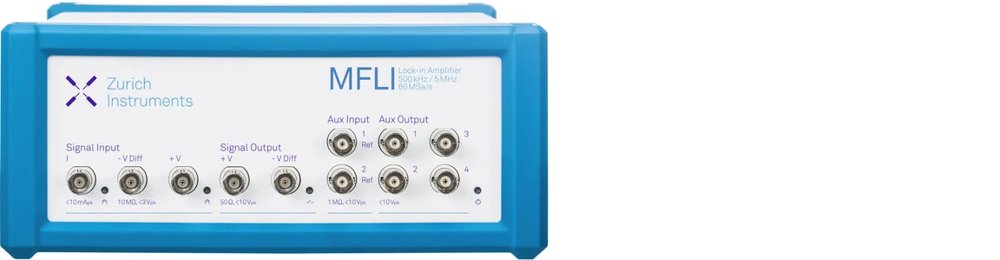
Zurich instruments’ lock-in amplifiers are ideal instruments for measuring the amplitude and phase of periodic signals from a large variety of optical experiments, covering the range from elementary to cutting-edge experimental designs. Thanks to their low input noise and large dynamic reserve, they can detect minute signals and achieve large signal-to-noise ratios (SNRs) quickly and reliably. Each instrument is equipped with a set of advanced measurement tools, such as an oscilloscope, a parametric sweeper, a spectrum analyzer, and more,allowing you to characterize your optical signals more comprehensively. Additionally, if an analog interface to other instruments is needed — for example, a control voltage for laser cavities or delay lines — internal measurement results or other customizable signals can easily be routed out from the instruments via the auxiliary output connectors. This toolset, together with several field upgradeable options, expand the functionality of the instruments well beyond lock-in amplification,making them a perfect fit for the demanding requirements of many applications. Each of these functionalities can be controlled through LabOne®,a proprietary software of Zurich Instruments.This platform-independent instrument control tool provides users with a powerful and intuitive user interface, together with support for the most popular programming languages. These features make Zurich Instruments' lock-in amplifiers extremely versatile, allowing them to be tailored to any experimental setup, reducing experiment complexity and decreasing the time to publication. Explore higher frequency domains of your optical experiment with high noise rejection and faster measurements: with signal inputs up to 8.5 GHz, Zurich Instruments’ lock-in amplifiers cover a wide range of modulation techniques and applications. Carry out multiple tasks in parallel with one instrument: for example, you can simultaneously perform lock-in detection and boxcar averaging on the signal from the photodetector while running a PID/PLL control loop to stabilize your laser cavity. The parallelization of several experimental aspects allows you to achieve results more efficiently and quickly. Ease of integration: thanks to our APIs (LabVIEW, MATLAB, Python,.NET, C), swiftly connect your lock-in amplifier with all the elements, e.g., delay lines and/or modulators, in your experimental setup.
CATEGORY
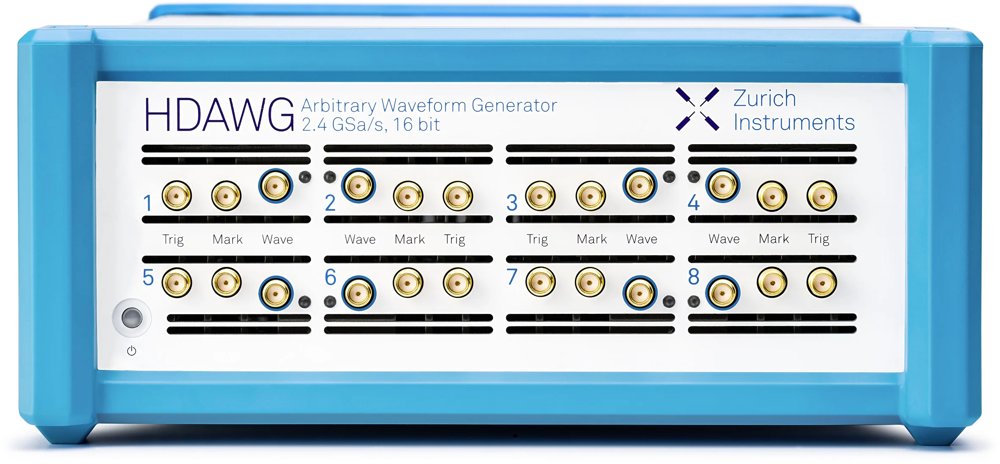
The HDAWG multi-channel Arbitrary Waveform Generator generates the fast pulses for the metallic gates which are used to control the QD energy levels and couplings and to drive the two-qubit gates. To counteract the effect of cross-coupling, additional pulses are applied to multiple gates. The HDAWG is able to modulate the microwave source in order to produce single-qubit gates. Different qubits can be addressed with frequency multiplexing. A single-sideband modulation scheme, in conjunction with the internal oscillators, suppresses unwanted images and facilitates a clean spectrum. Experience accurate spin control and enhanced fidelity, also for fast qubits, thanks to the fast and low-noise HDAWG outputs.
CATEGORY
Operation from DC to 8.5 GHz 1 GHz bandwidth free from mixer calibration High output power for short qubit gates
CATEGORY